Skip to content

Cloudify – Bank App Redesign

A complete UX/UI redesign of a banking app focused on clarity, control, and user trust. From research to final visuals—built to simplify finance.

Project Background

A redesign of the Cloudify banking app focused on clarity, usability, and effortless personal finance tracking.

Project Details

Redesigning the Cloudify banking app to make money tracking more intuitive and visually clear. The goal was to improve the user experience by organizing spending into clear categories and providing a better overview of savings. As a result, user satisfaction and engagement improved significantly.

Design Process

Conducted user interviews, analyzed existing usability issues, and tested new design concepts focusing on simplicity, transparency, and actionable insights for personal finance tracking.

Design Problem

The original Cloudify app lacked clarity and engagement. Users couldn’t easily track spending or savings. The redesign made finances simpler, visual, and more intuitive.

Results

+28% in daily active users +41% increase in session duration App store rating improved from 3.6 to 4.7

Data Insights

I reviewed recent app store reviews and analyzed feedback to understand user frustrations with the previous version of Cloudify. Working closely with the Product Manager, we grouped the most common complaints into key problem areas and prioritized them for redesign.

No clear view of my savings. I’m switching to another app
App Store
Review
Confusing app layout, I can’t see where my money is going
App Store
Review
No clear view of my savings. I’m switching to another app
Google Play
Review
Clarity

Confusing interface, hard to read balance and spending details

Findability

Couldn’t easily find past transactions or savings progress

Performance

Slow to load, sometimes freezes on login

Missing Features

No clear budget categories or visual breakdown of expenses

Insights

Lacked helpful tips or summaries — “I don’t know what to do with the data”

Navigation

Too many taps to reach basic features like savings or transfer

Unclear money overview

Users couldn’t tell where their money was going. The old interface only showed a flat list of transactions with no breakdown or visual context.

No spending insights

There were no indicators for income, expenses, or savings progress. Users had to manually calculate or guess how much they were spending.

Outdated UI and weak hierarchy

Important numbers like account balance were easy to overlook. There was no visual grouping or structure, which made scanning information slow and tiring.

User Research

I conducted user interviews and usability tests with existing Cloudify users to understand why they struggled with the app’s account view. The feedback revealed that users were frustrated by the lack of clarity, poor visual hierarchy, and the absence of meaningful financial insights. Many users said they felt “lost” when trying to understand their spending habits or savings.

How the Redesign Solved It

In the redesigned screen, I introduced several key improvements:

Financial clarity

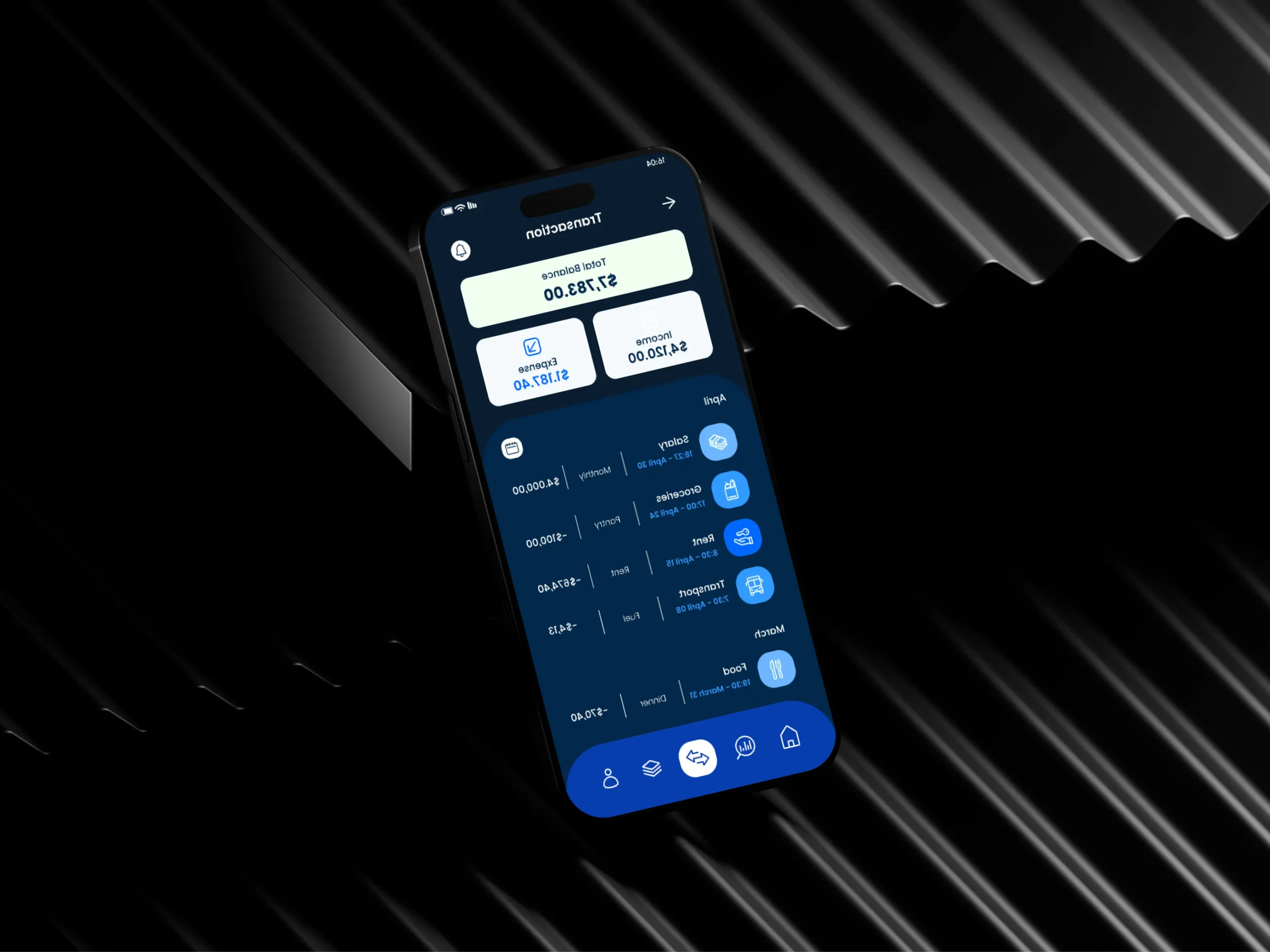
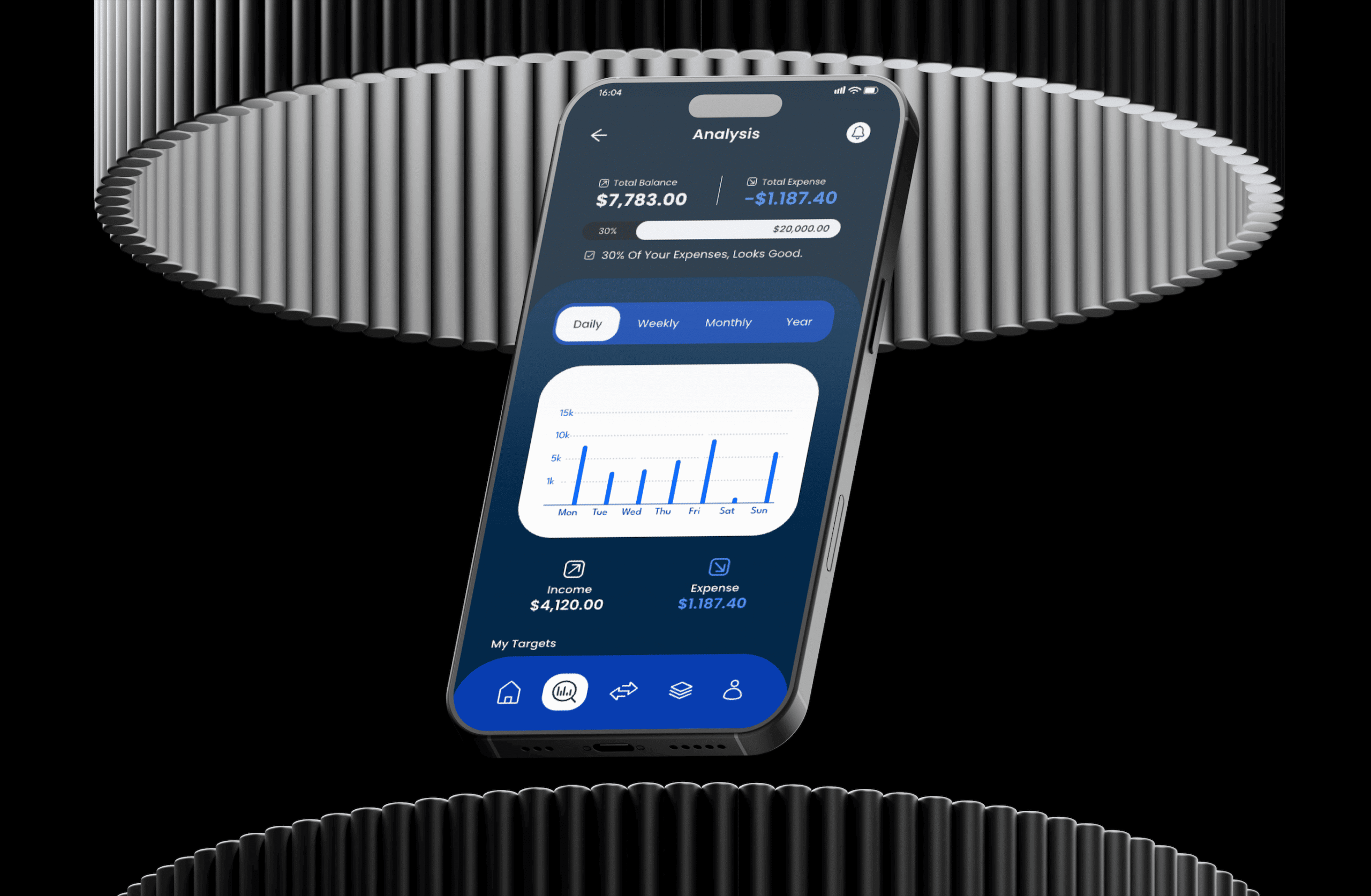
Total balance, income, and expenses are now clearly shown, along with a visual savings bar

Better structure

Transactions are grouped with icons, color coding, and clearer hierarchy to make the data more scannable

Modern, intuitive UI

The layout is cleaner, easier to navigate, and helps users instantly understand their financial status

Feature Matrix

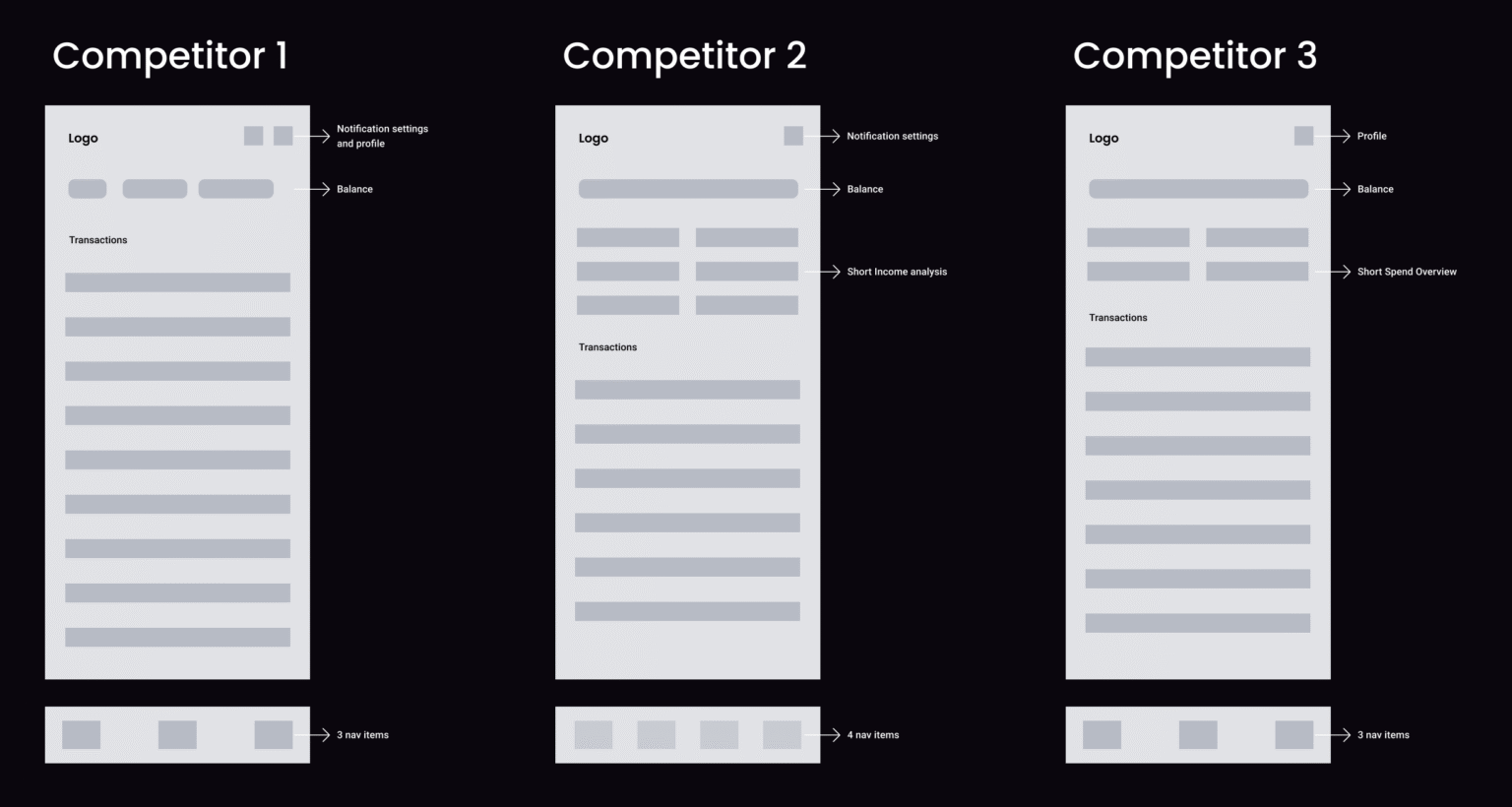
I created a feature matrix to evaluate key capabilities of each competitor’s spend tracking feature set. This helped identify which features Cloudify needed to improve or include in the redesign.

Feature

Competitor 1

Competitor 2

Competitor 3

Visual spend chart

Income vs. expense comparison

Monthly spend limit

Daily/weekly breakdown

Smart alerts / notifications

Export reports (CSV, PDF)

Shared budgeting (family/couple)

Categorized expenses

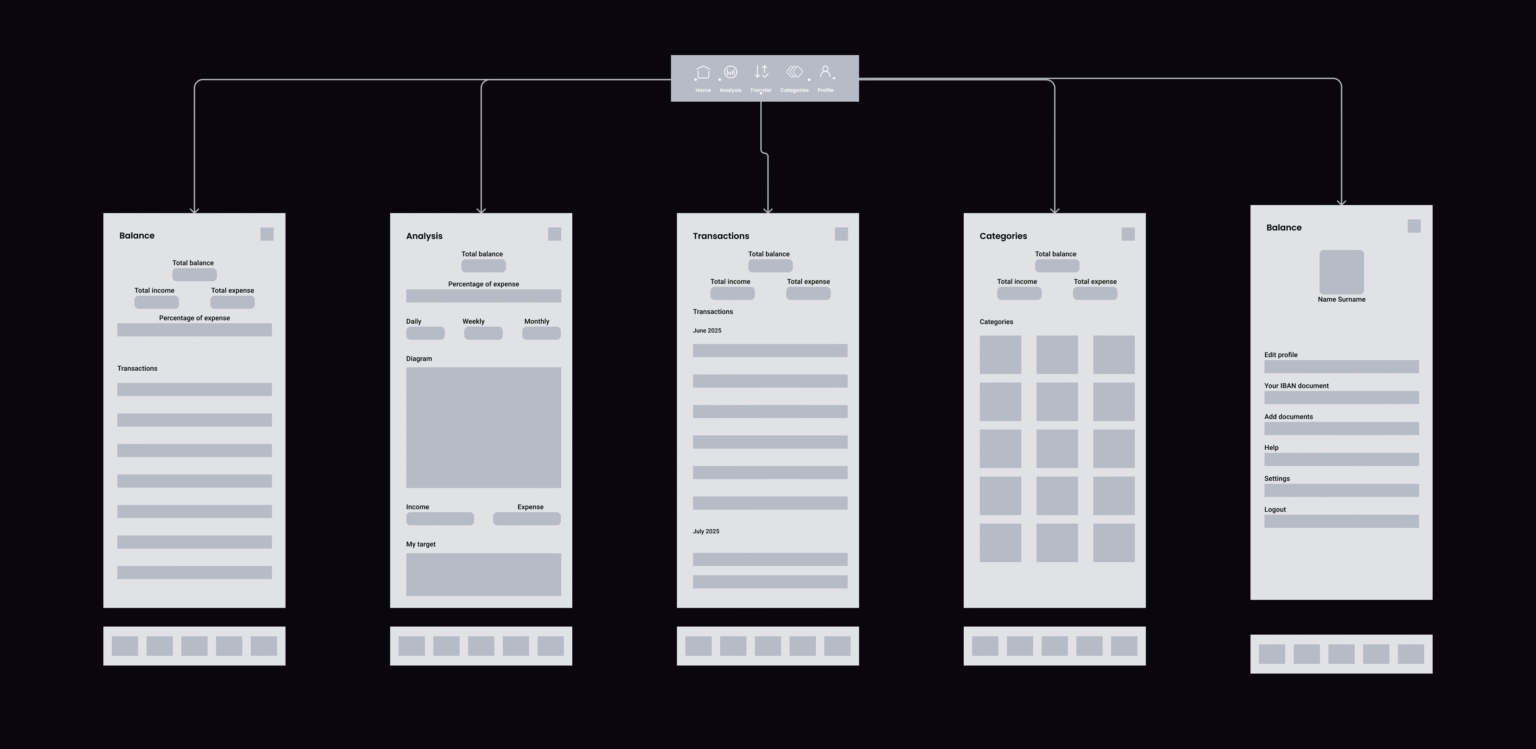
Information Architecture

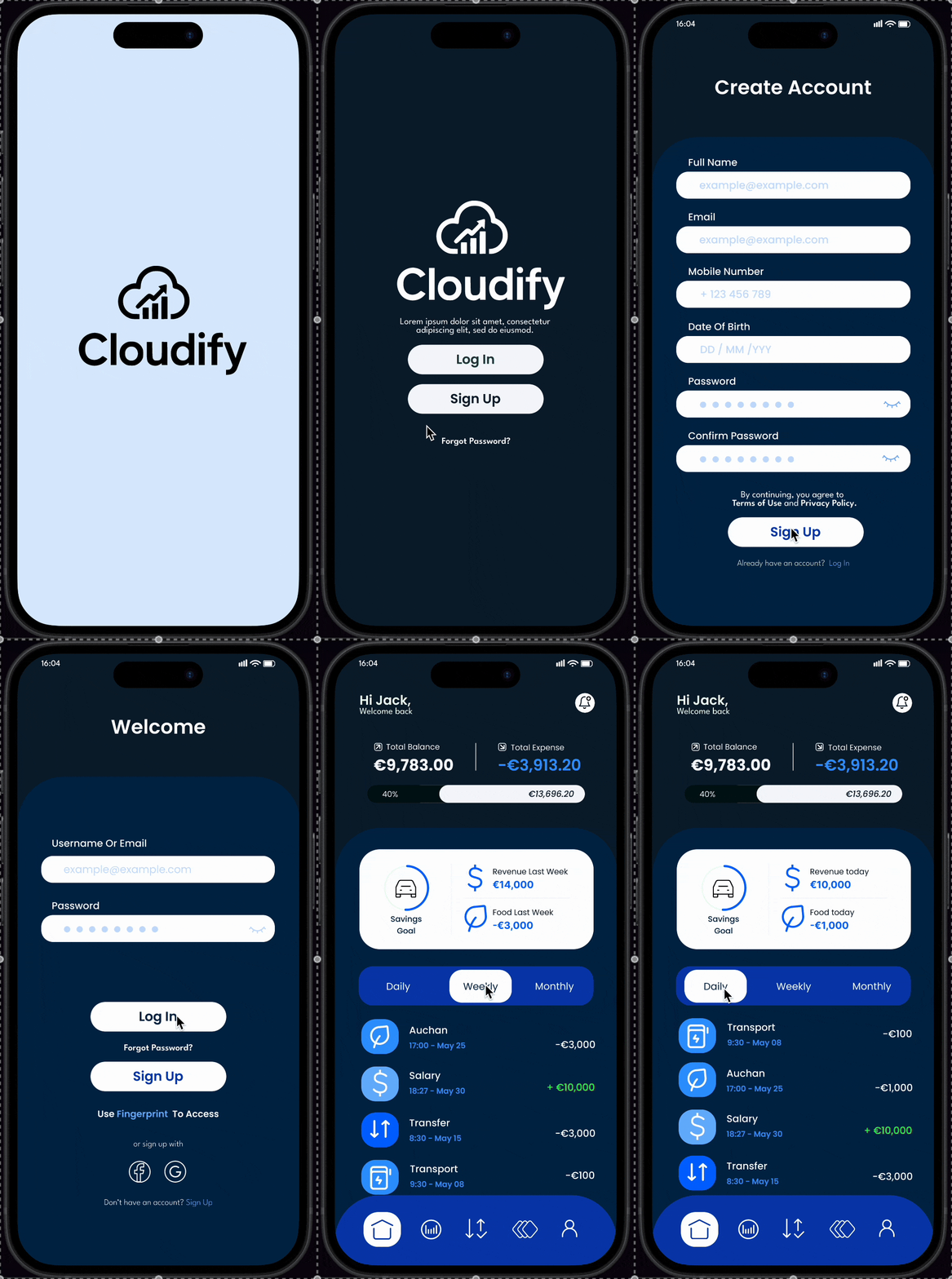
I reorganized the app into a tab bar layout to highlight the key areas of content, and provide more focus on the discovery aspects

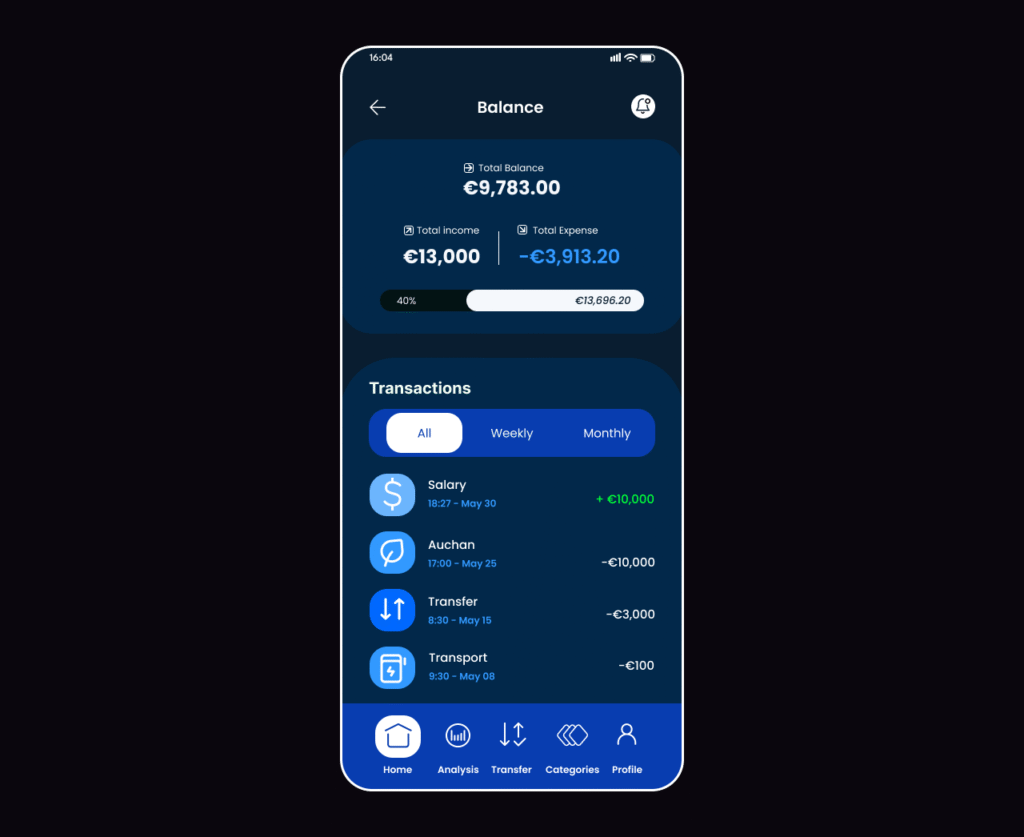
Option 1

  • Stacked layout with progress bar
    Key financials (Balance, Income, Expenses) are shown at the top with a visual bar to illustrate budget usage.
  • Segmented filters (All, Weekly, Monthly) help users explore spending trends over time.
  • Bottom tab bar provides quick access to core sections like Home, Analysis, and Profile.
  • Focus: Strong visual hierarchy, interactive controls, and immediate budget insights.

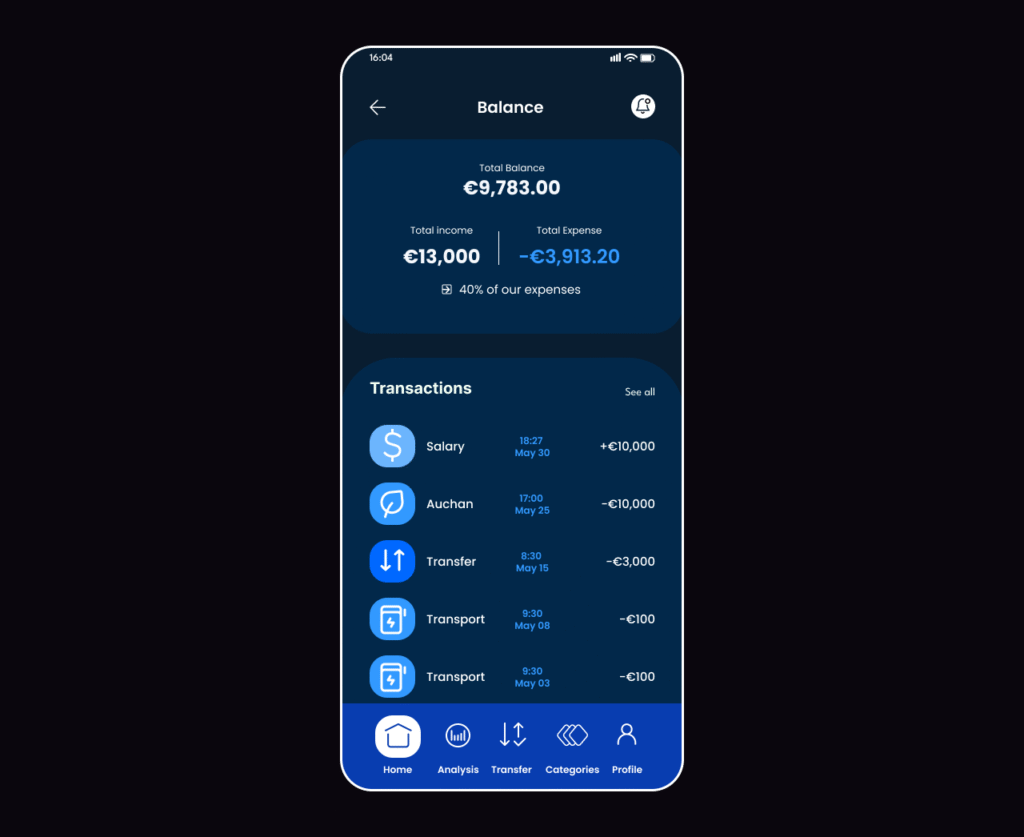
Option 2

  • Simplified layout with focus on clarity
    Removes visual extras like the progress bar for a cleaner view. Adds a brief text summary (e.g. “40% of expenses”) under the balance.
  • Right-aligned data for easy scanning of amounts and dates.
  • Bottom tab bar remains consistent for navigation.
  • Focus: Streamlined structure, clean presentation, ideal for fast reading and low-effort browsing.

Design concept testing with users

After testing both design concepts, users responded very positively to the first version of the screen. They appreciated the improved visual structure, clearer breakdown of financial data, and smoother access to transaction history and filters.

Female avatar-0fc45e

User 1

“I like how clearly my income and expenses are shown — it helps me understand my spending at a glance.”

User 2

“The design looks modern and clean. I can easily switch between weekly and monthly views and track all my transactions.”

User 3

“Having a quick summary of my balance and expenses in one place is super helpful. It feels intuitive and easy to use.”

User 4

“The layout makes budgeting less stressful. I finally feel in control of where my money goes without digging through details.”

User 5

Everything is right where I expect it to be — it saves me time and makes checking my finances feel effortless.

Refined Layout

We combined the best parts of both earlier versions to create a clear and intuitive design.

Transaction Clarity

The traditional list format makes it easy to scan past activity at a glance—familiar and functional.

Visual Insight

Clean typography and smart visual elements, like summaries and progress bars, bring context to every number.

Smart Summaries

Key figures like total balance, income, and expenses are presented upfront—giving users immediate clarity without extra taps.

Final Design

We tested multiple layout options and merged their strongest aspects into a cohesive, unified interface. This final version provides users with a clear overview of their finances while offering quick access to details. With a balance of structure and simplicity, it helps users stay in control, whether they’re reviewing trends or checking a single transaction

Results

Following the redesign of the account balance screen, key engagement metrics significantly improved. Users spent more time reviewing their finances, more people activated financial tracking features, and the app’s rating in the store increased to 4.8 stars.

Time in App

🔼  32% Increase in session duration

Feature Activations

🔼  12% More users enabled budgeting and notifications

App Store Rating

🔼  Improved to 4.7 (from 3.6)

Fully clickable prototype

Coming soon…

Let’s Connect

Hire a designer who understands users — and deadlines